A Look at Q3: Quarterly Newsletter
New this quarter: the AI assistant, automated queries with data quality rules, custom documents as email templates, eTMF support, and many more improvements.

Co-Founder / CEO
In this new quarterly format, we walk you through the most important changes to our system after the end of each quarter. That makes it easier to stay informed and to discover what the platform can now do.
The Confimedis AI Assistant
At the beginning of August, we completely reworked the Confimedis AI Assistant and made it available to projects as an optional extension. For projects that already existed, the assistant has to be activated manually in the settings. For new projects it is activated by default, but it only has access to the help documentation to answer general questions about the system. You can deactivate it again in the settings at any time.
We developed the assistant together with Mistral AI, a company from France, so all data continues to be processed exclusively by a European company and in Europe. We also have a zero data retention agreement with Mistral AI, so requests are neither stored nor used for training. This reflects our idea of secure data processing and European independence.
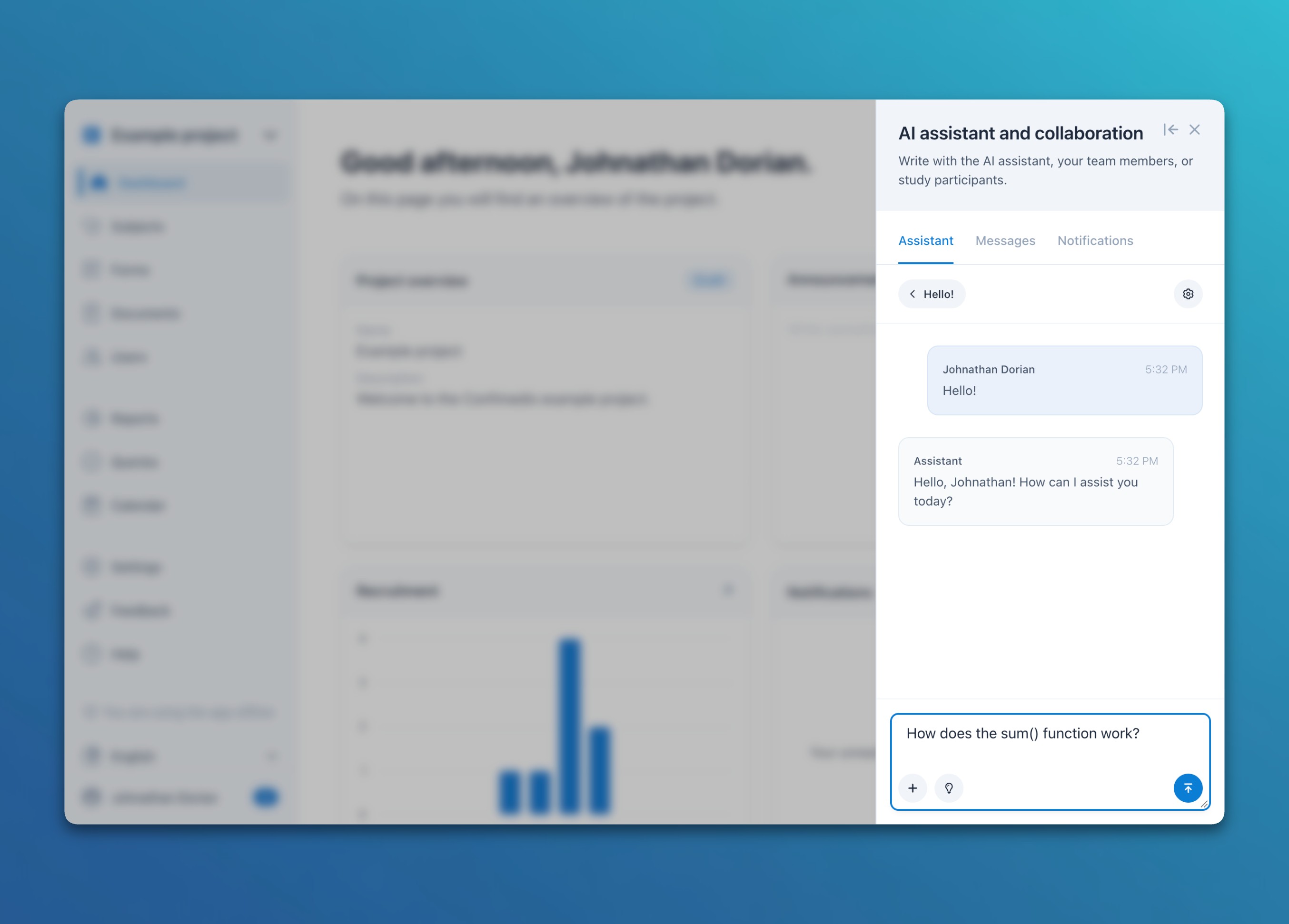
Besides answering general questions about the system, the assistant can also handle study-specific tasks. This has to be enabled individually for each project and each role. Depending on the settings and the permissions of the signed-in person, the assistant can then also create and edit forms – or extract clinical data from unstructured free text or PDF documents and transfer it to forms after human confirmation.
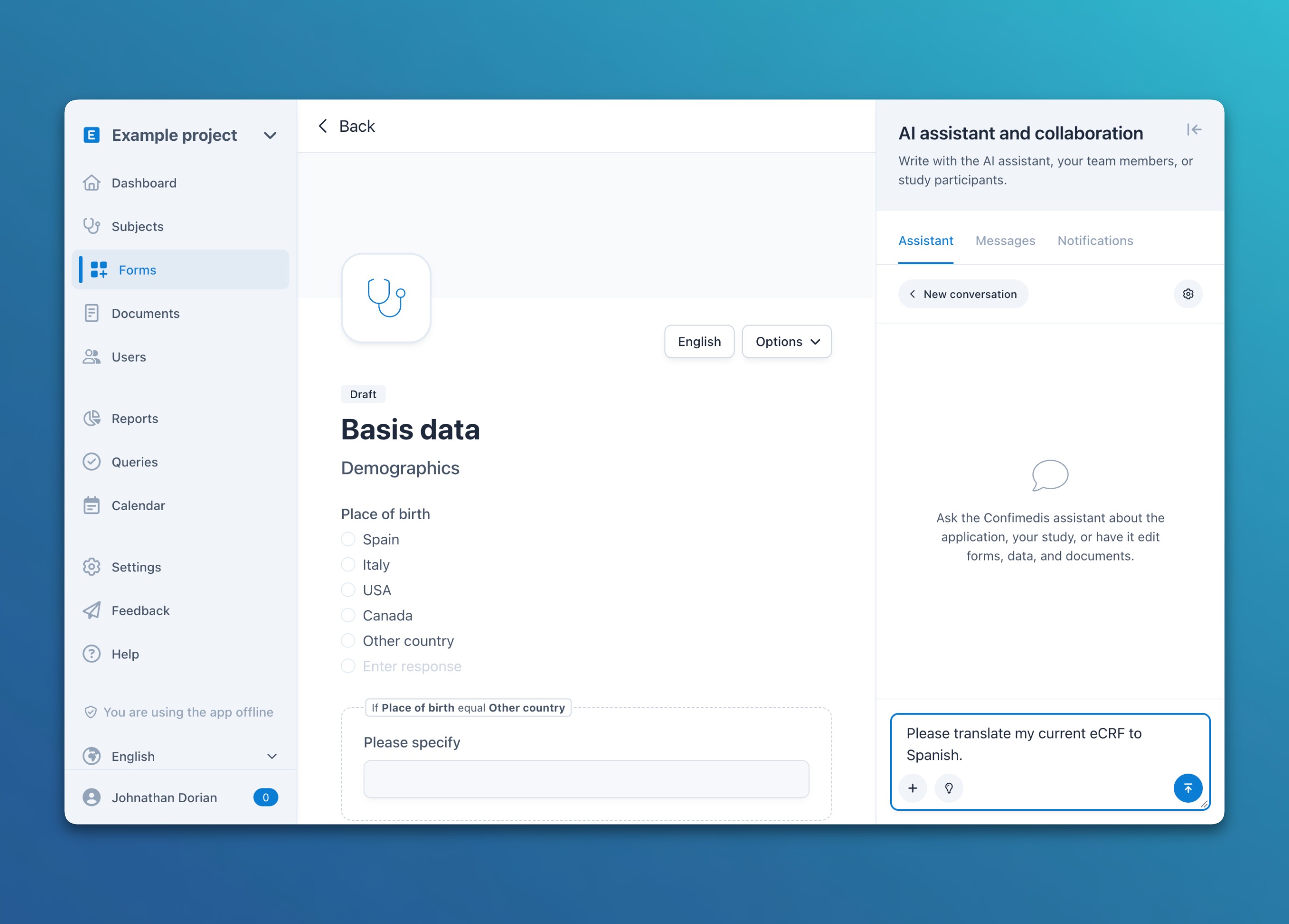
For more detailed information, in particular on our five-level security system and further use cases, see the help documentation under Help → AI Assistant.
Automated Queries with Data Quality Rules
Shortly after, another major feature followed. The system can now create queries automatically based on data quality rules. You can define rules that automatically create new queries in the system whenever they are violated. If you have also enabled notifications for queries, the assigned person receives an automatic email notification.
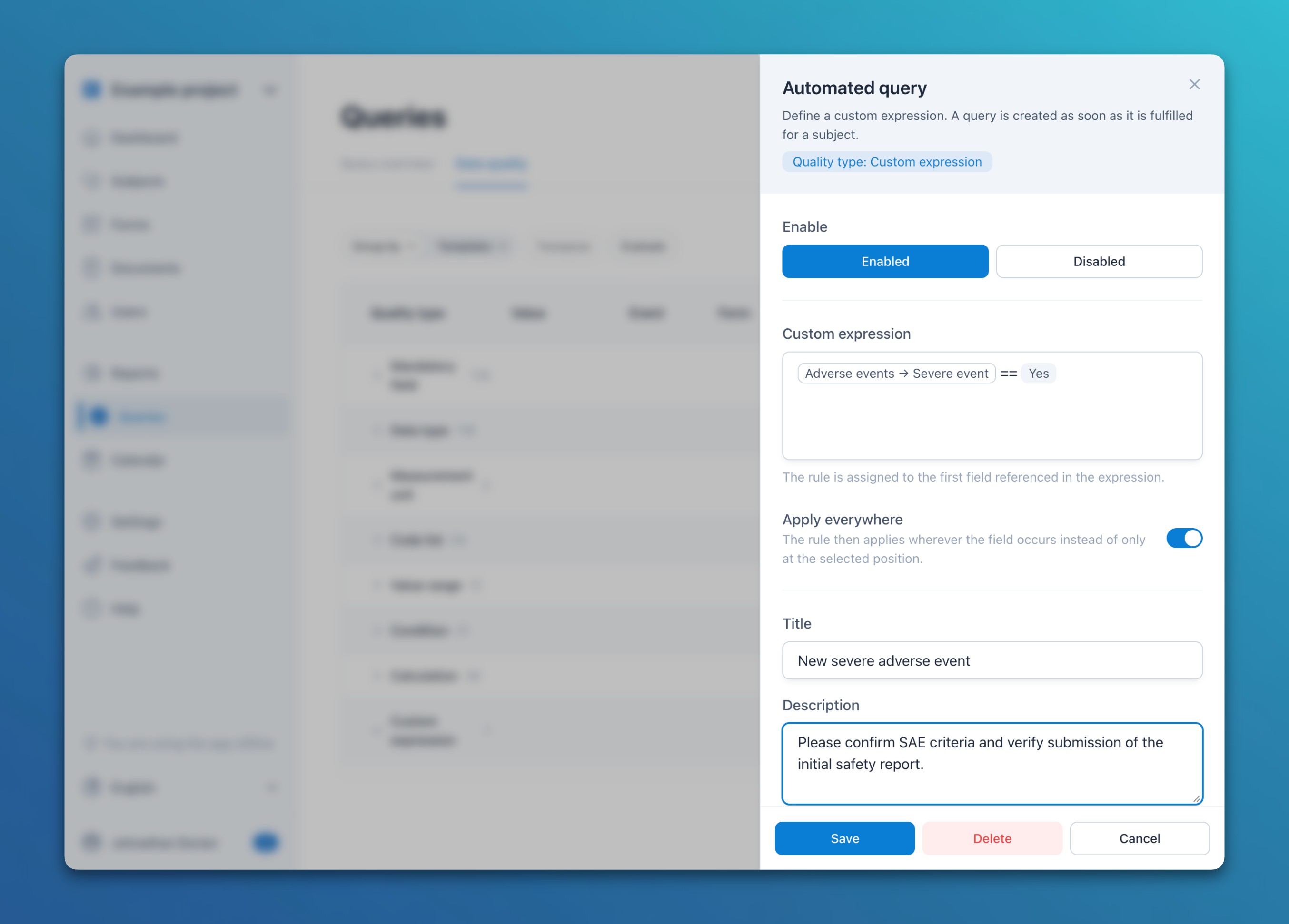
In addition to freely definable expressions, the platform comes with several predefined quality rules. They make it easy to check general data quality, such as missing mandatory questions or violated data types and value ranges. Here too, you can have the system create automatic queries whenever one of these rules is violated by an entry.
For each automatic query, you can define a title, a text, and a role that the new tasks should be assigned to. You can also evaluate all rules ad hoc at any time, so you know your data quality right away, even if you have not enabled automatic queries.
You can find more information on this feature in the help documentation under Help → Automated Queries and Data Quality.
Custom Email Templates and eTMF Support
The documents module was expanded considerably between August and September. Two features deserve special mention:
- Custom email templates: If you use automated ePRO invitations for study participants based on a visit schedule, you can now create your own documents and use them as email templates. This lets you address your participants more personally instead of using our standard texts.
- Improved eTMF support: The system now fully supports the CDISC TMF Reference Model, including all 250 artifacts. It also offers a workflow (Submit, Withdraw, Approve, Reject, Publish, and Unpublish), targeted sharing of documents and folders by location, role, or user, digital signatures, complete audit trail logging of every step, and the download of the entire eTMF including its folder structure.
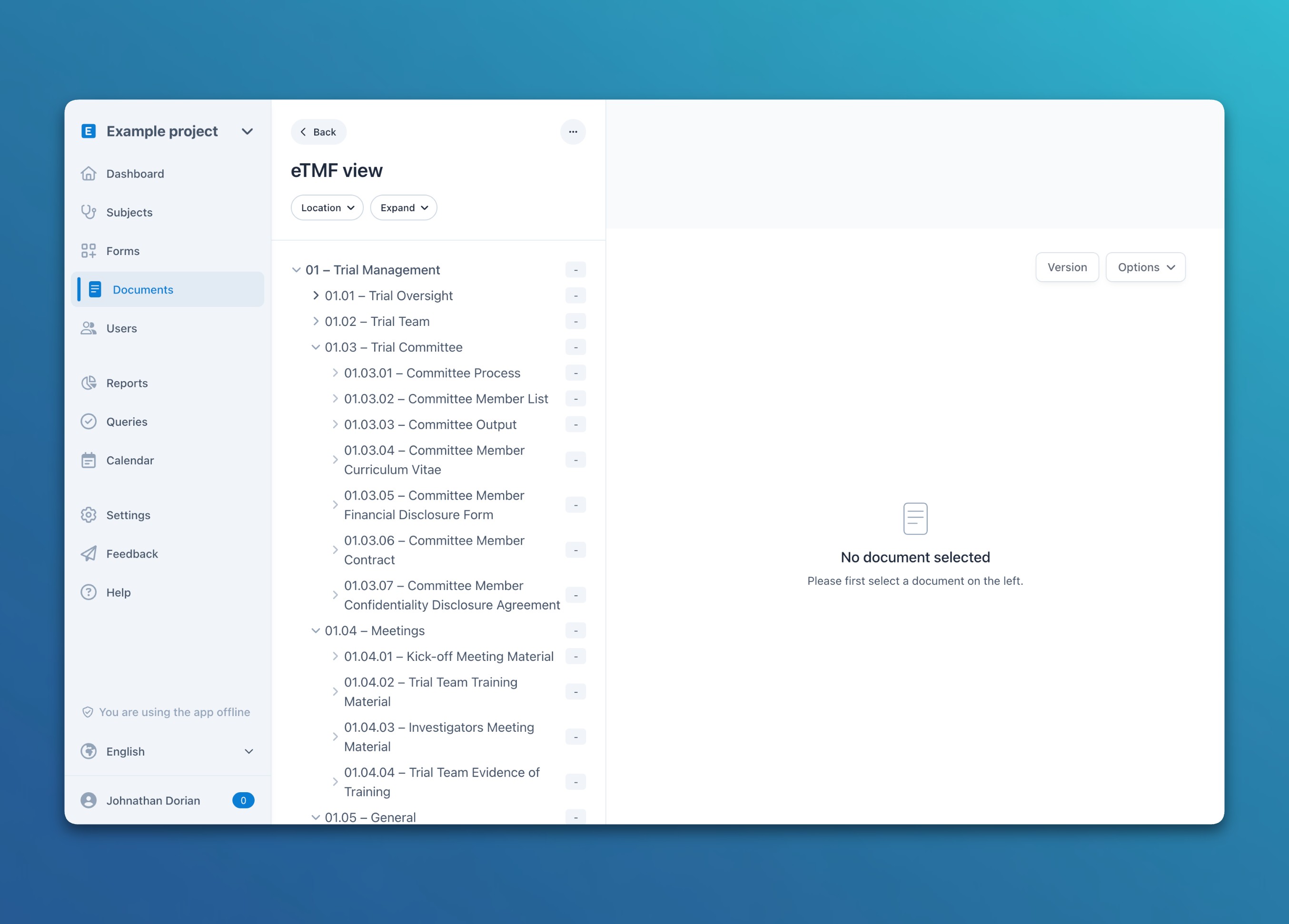
You can find more information in the help documentation under Help → Document Management → 5. Trial Master File (eTMF).
Further Improvements
A selection of further improvements and features from the past three months:
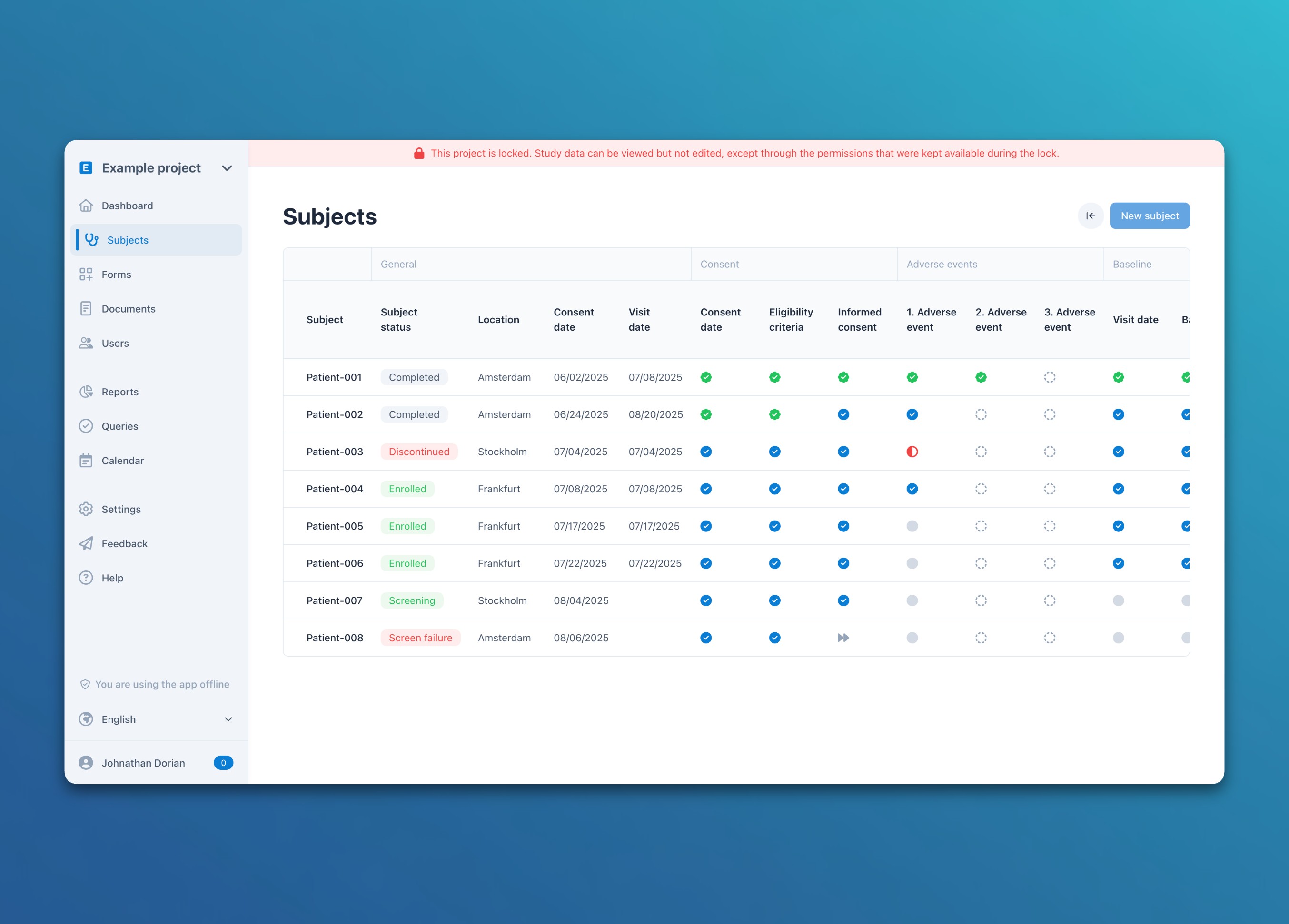
- Improved locking of projects and subjects: You can now lock a project for an interim analysis or once data collection is complete. Individual permissions, such as answering queries, can stay available during the lock. Single subjects can be locked as well. Subjects now also have a status (such as Screening, Enrolled, or Completed) and are archived first instead of being deleted right away. Each of these changes requires a reason and appears in the audit trail.
- Extended eConsent: In ePRO links, the participant and the person conducting the consent interview can now sign the same consent together, so the participant can download a PDF with both signatures. The signature of the person conducting the interview can also be reserved for the study team, and the study team can withdraw a consent signed by the participant.
- More control over surveys and ePRO: With the option “Incomplete answers”, participants can submit even if mandatory questions are still open. Missing answers are highlighted and confirmed beforehand. The option “Locked answers”, on the other hand, prevents a page of a multi-page survey that was already submitted from being changed afterwards. Automated ePRO invitations also take study arms and event conditions into account and are sent right after a form is answered.
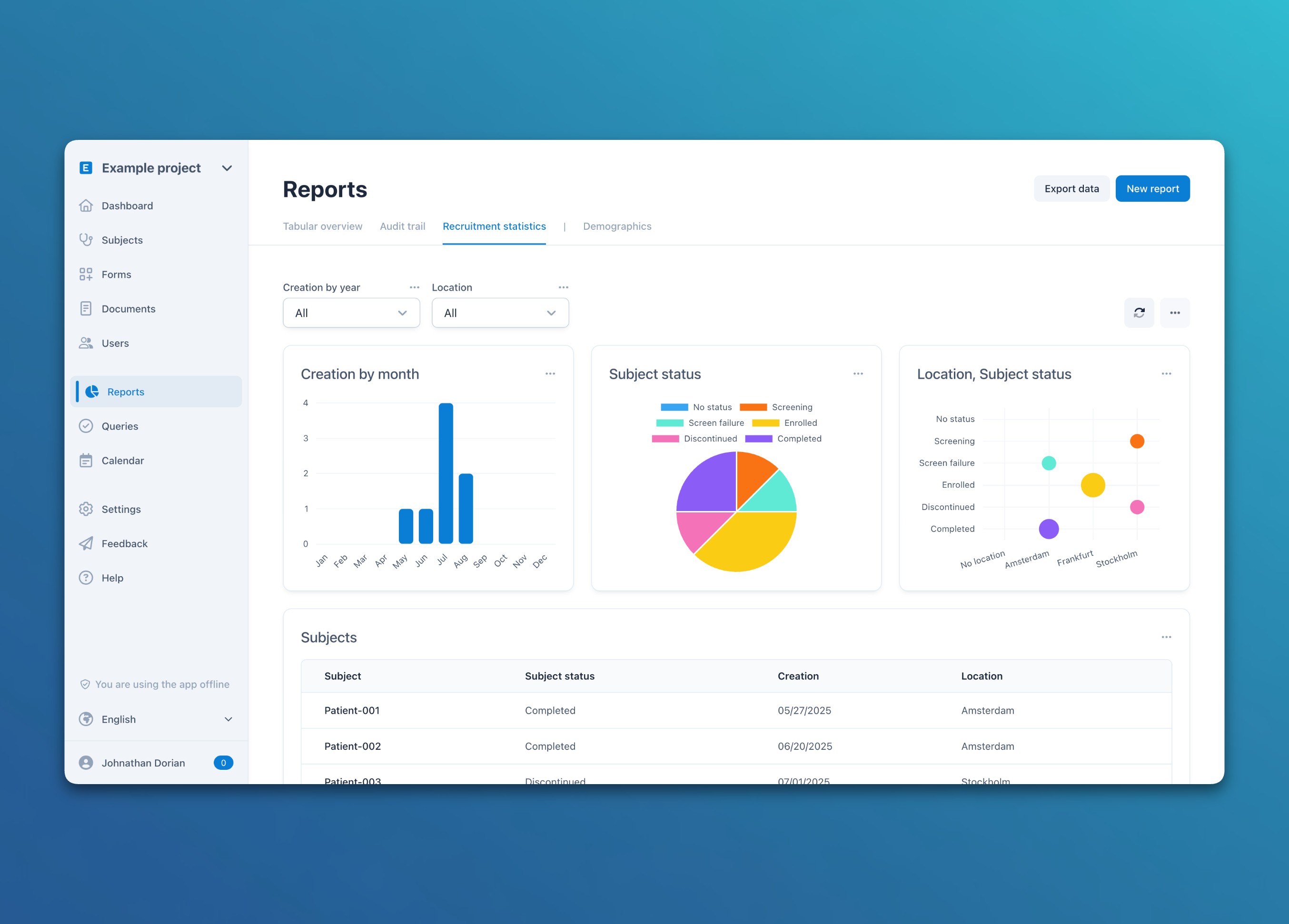
- Extended reports with new chart types: Reports now offer line, scatter, and bubble charts. The subject status and the next event are also available as fields, and every chart can be downloaded as a CSV file. The new default report “Recruitment statistics” shows at a glance how your subjects are distributed by status, location, and month of creation.
Thank You for Your Feedback
We would like to thank everyone who points out errors, problems, or ideas for improvement. Your feedback is an important part of how the platform develops. We try to resolve every concern as quickly as possible and keep adding new features along the way.
Many of the features in this review go back to suggestions from your day-to-day work on studies. If something is missing or could be easier, please do not hesitate to write to us. We will get back to you personally and in most cases implement sensible ideas quickly.