Randomization
Learn how to configure and use the integrated randomization of subjects in clinical trials. Available since version 3.2.0.

Fascinating Research
At the end of the year, we are very pleased to release a major and long-awaited extension for the Confimedis Platform: The Randomization Module — including options for various block sizes and stratification factors.
Preparation of the Study
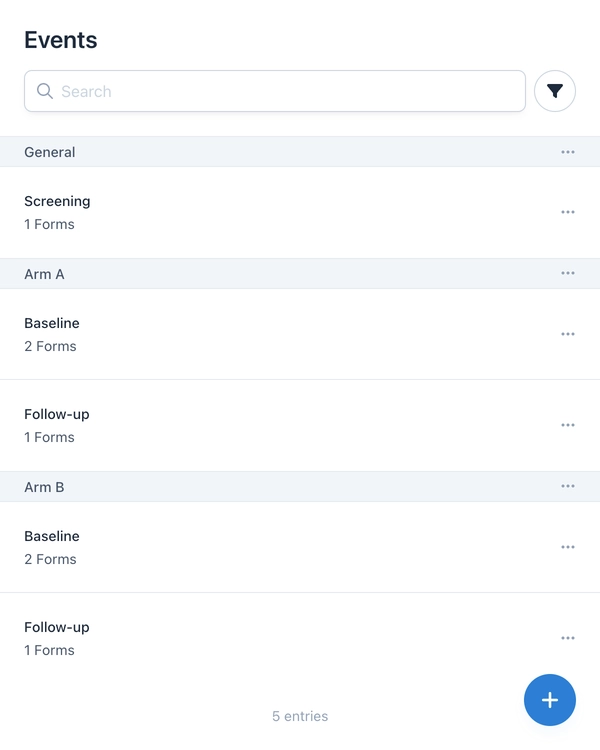
The first step for a randomized controlled trial is mapping the study arms in the metadata. Event groups are used for this, defined as study arms (e.g., Arm A and Arm B). A screening event in a general group serves as the starting point for all subjects.
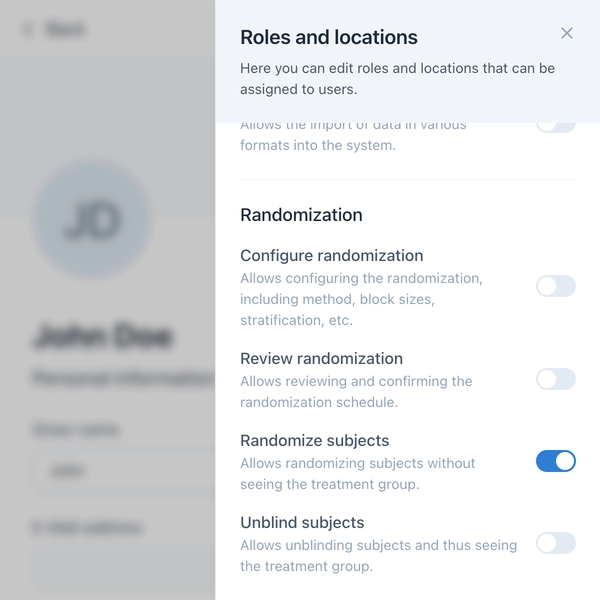
To ensure randomization is carried out securely, Confimedis offers a granular permission system. Four specific permissions control who can configure randomization, review schedules, randomize subjects, or unblind.
Configuration of Randomization
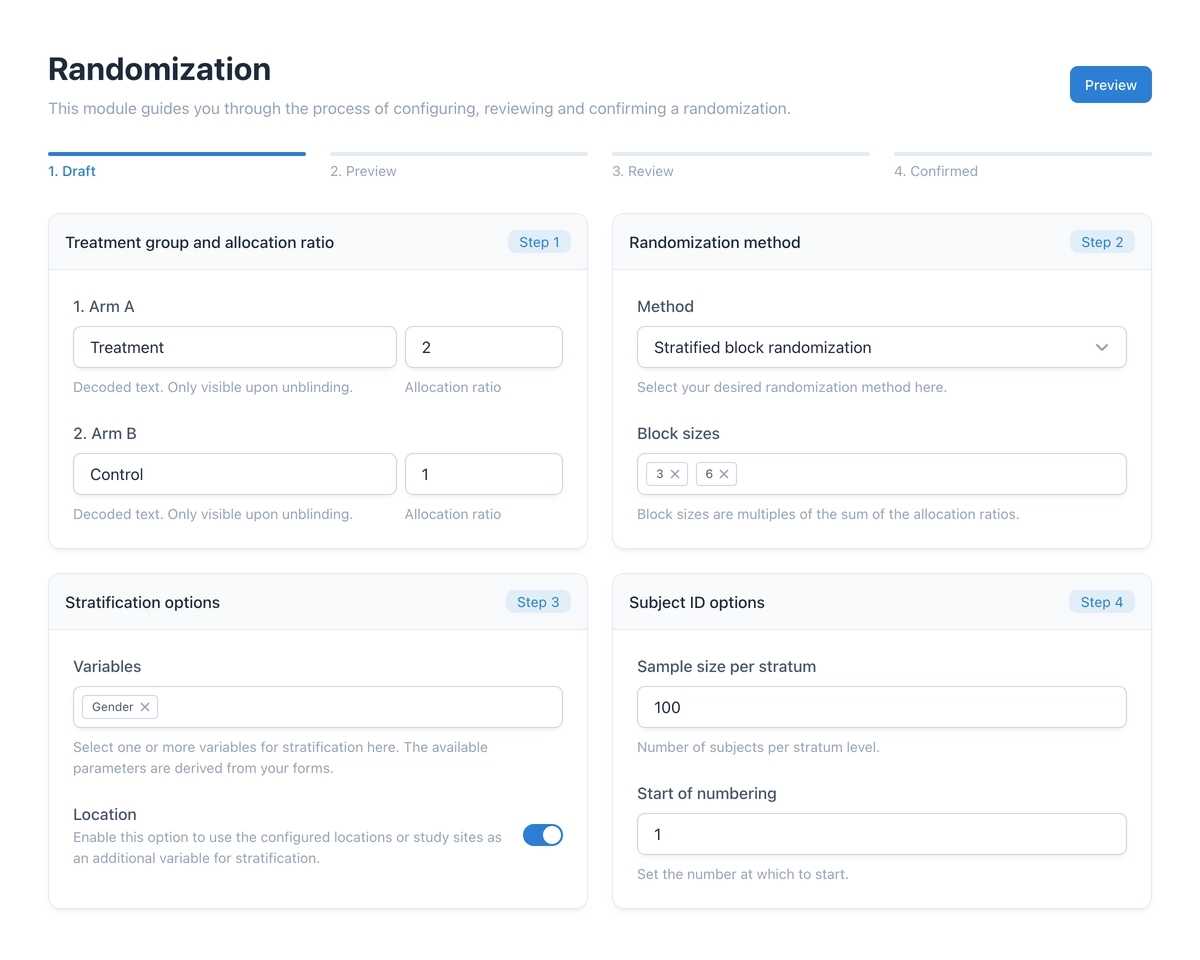
The heart of the new module is the configuration wizard. It guides you through the process of creating a randomization schedule. Three methods are available:
- Simple randomization: Random allocation based on a defined ratio (e.g., 2:1), similar to a deck of cards.
- Permuted block randomization: Division into blocks to maintain the allocation ratio even with small sample sizes.
- Stratified block randomization: Consideration of prognostic factors (e.g., Gender) to ensure even distribution across groups.
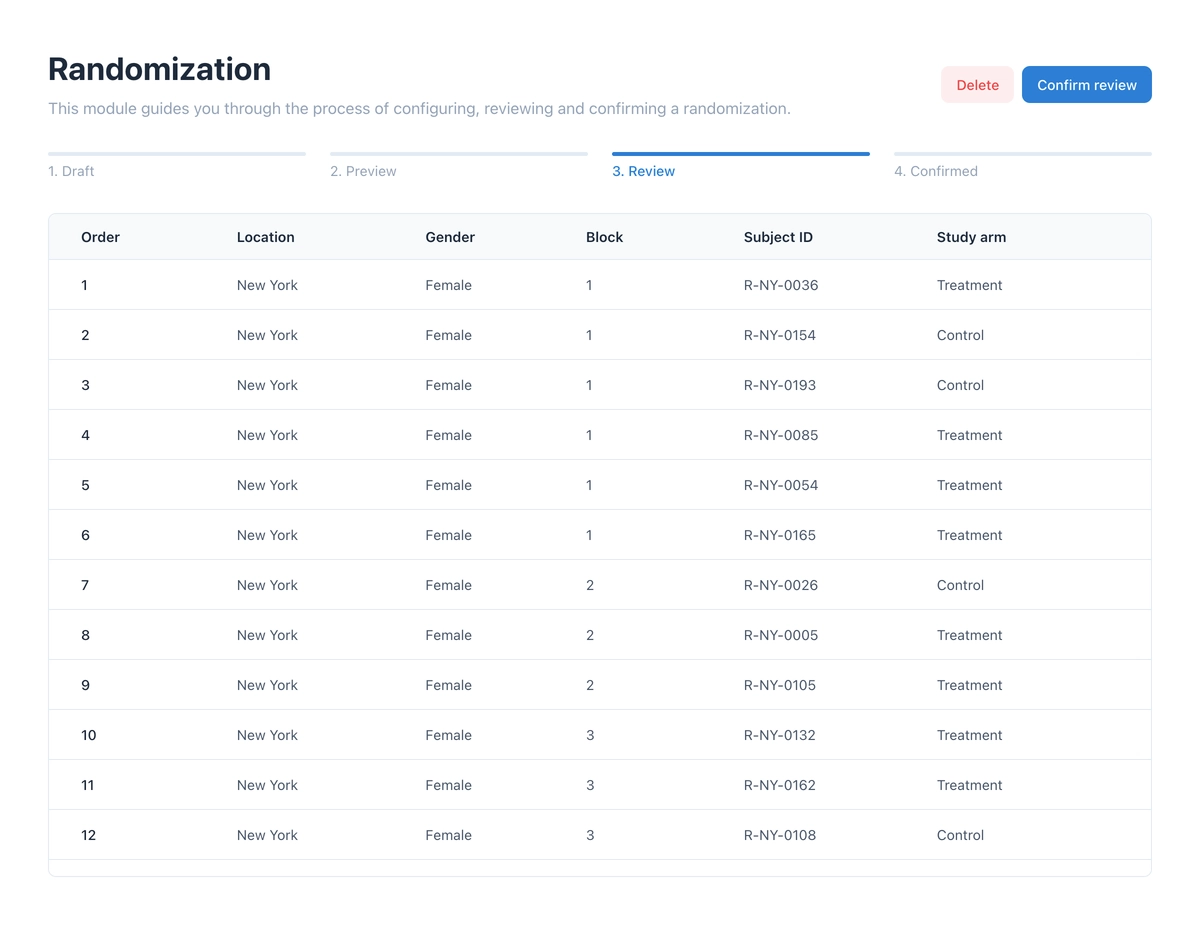
After configuration, a preview of the randomization schedule can be generated. This must then be reviewed and confirmed in a separate step – ideally by a second person (four-eyes principle) to ensure the highest quality and security.
Execution and Unblinding
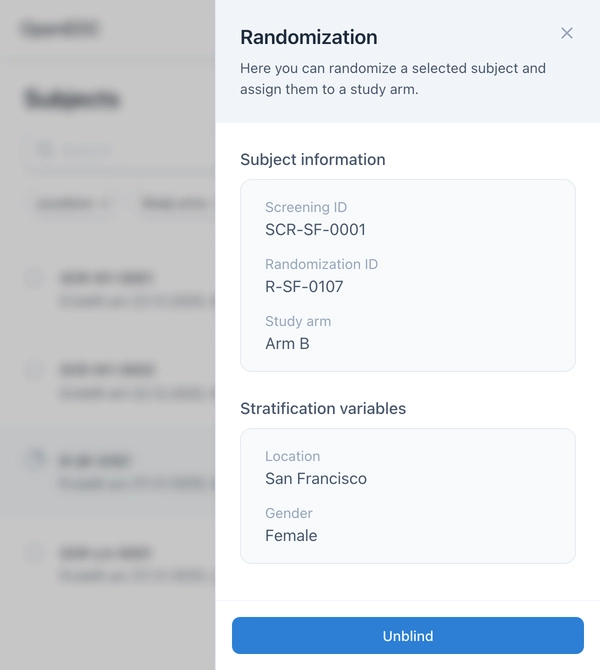
Once the schedule is confirmed, authorized persons can perform randomization in the Subjects module. The system automatically assigns the subject the next free slot on the list – taking stratification factors into account.
An unblinding function is available to authorized users. This allows viewing the group affiliation of a subject without jeopardizing the blinding for other participants.
We hope this new module makes your clinical trials even more efficient. If you have questions about the setup, please check our documentation or contact us.